> ## Documentation Index
> Fetch the complete documentation index at: https://trigger-v3-cli-update-command.mintlify.site/llms.txt
> Use this file to discover all available pages before exploring further.
# Managing Jobs
> How to view, add, modify, and delete jobs
[Jobs](/documentation/concepts/jobs) live inside a [Project](/documentation/concepts/projects).
For Jobs to actually run, they need to be connected to the Trigger.dev platform.
## Viewing Jobs
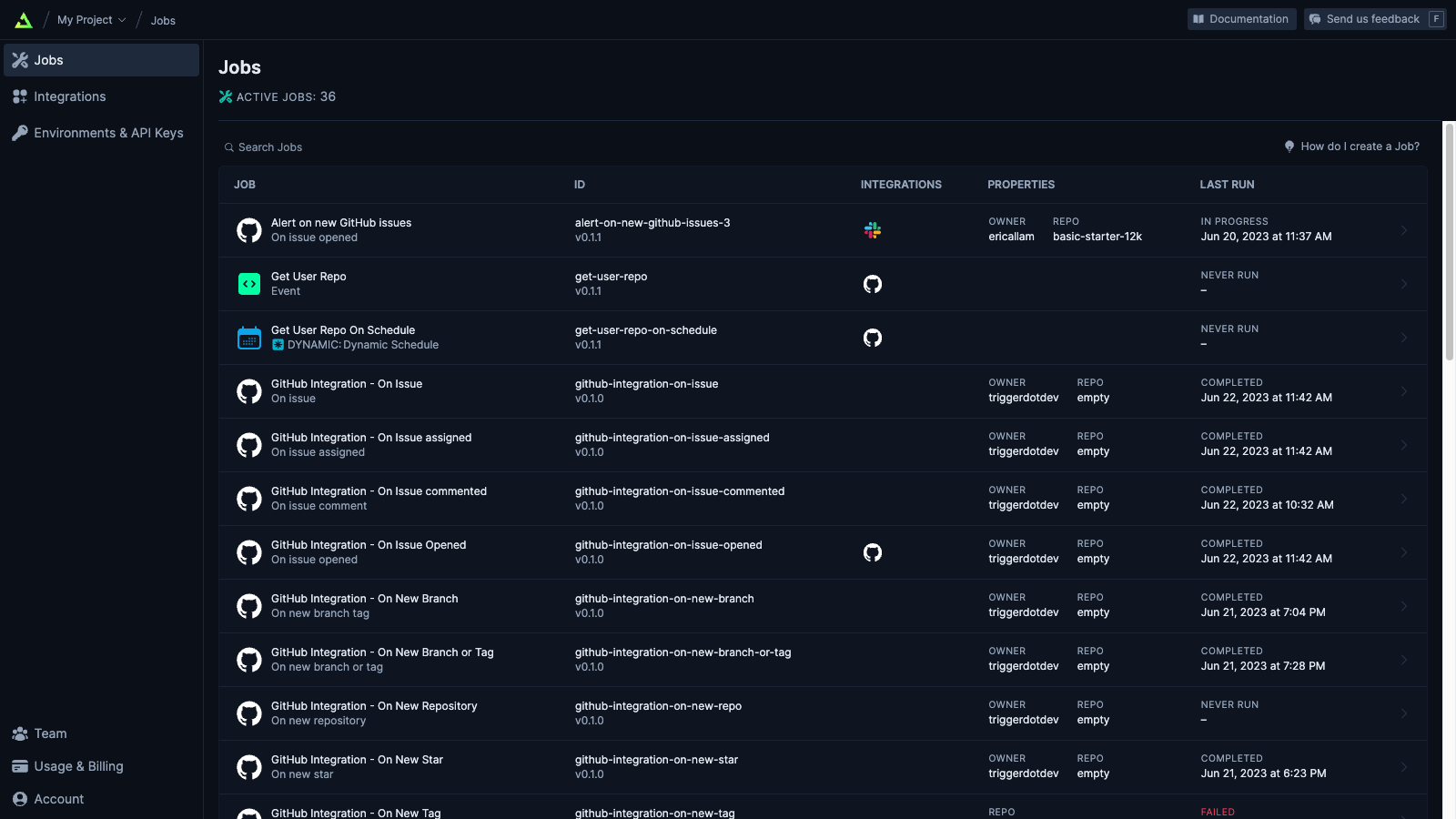
The main page for a Project is the list of connected Jobs. You can see overview details for a each Job here, including details on the Trigger, Integrations and when it was last run.
## How to add your first Job
We recommend you do the initial setup of a new Project by following our [quick start guide](/documentation/quickstart). Once completed you should have an example Job in your dashboard.
## Adding more Jobs locally
When you add a new Job to your codebase, you'll need to connect it to Trigger.dev. This is achieved by refreshing the endpoint in your local Dev environment.
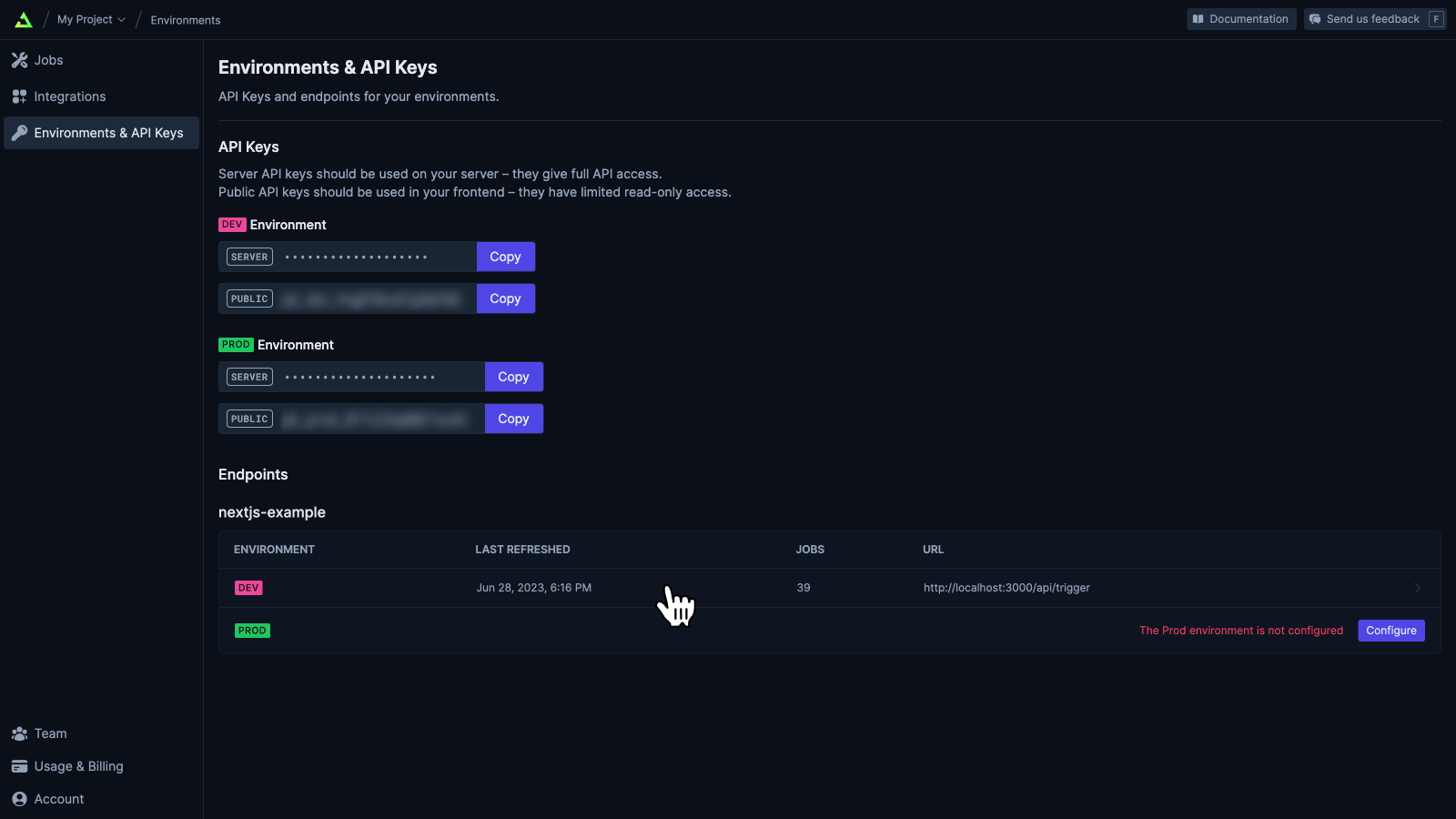
1. Go to the "Environments & API Keys" page for your Project

2. Select the "DEV" row in the table of endpoints.
3. Click the "Refresh now" button
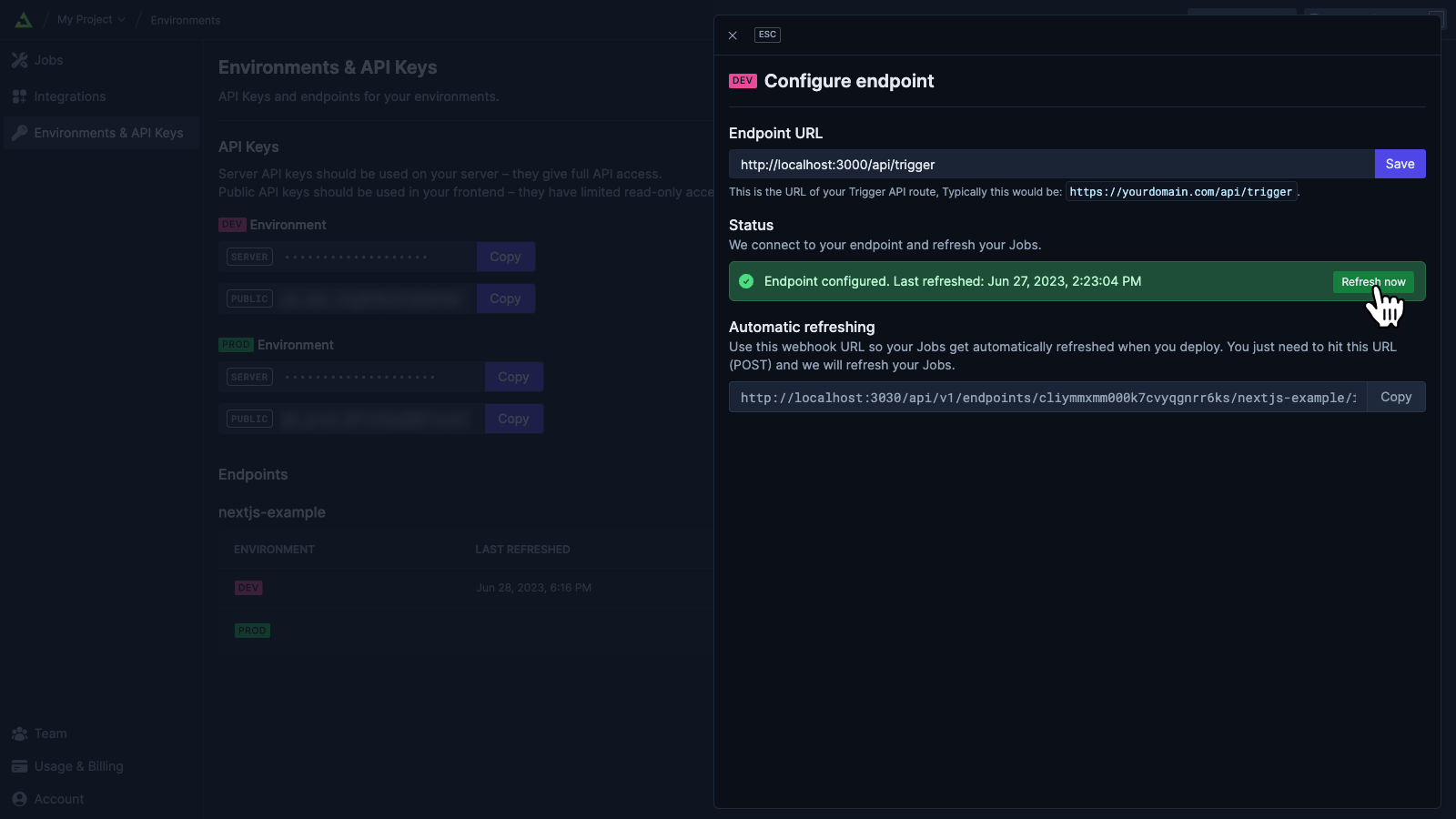
You only need to do this when you add a new Job (a job with an ID that hasn't
been connected to Trigger.dev before). If you modify an existing Job, you
don't need to refresh the endpoint.
## Deploying Jobs
See our [deployment guide](/documentation/guides/deployment).
## Disabling Jobs
Sometimes there's a Job that you no longer want to be Triggered. You can achieve this by Disabling it. This will prevent the `run()` function being called for that Job.
## Archiving Jobs
Being able to archive Jobs is coming soon